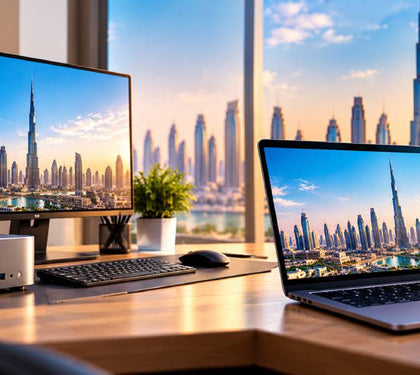


Look at most office desks in Dubai, and you’ll spot the same thing. A laptop sits closed next to a monitor, plugged in all day, and never leaves the desk.
That’s the gap mini-PCs fill.
A mini-PC is a full Windows computer small enough to sit behind your monitor. It uses efficient, laptop-class chips and plugs into the screen, keyboard and mouse you already own.
If you’re weighing up a mini-PC vs. laptop for your team or looking for a desktop computer Dubai office can roll out quickly, this guide compares both on space, cost and performance, with UAE conditions in mind.
Why mini-PCs are having a moment in offices and home setups
Three things have changed.
First, the big brands now treat tiny desktops as a core business product. When Intel stepped back from its NUC range, ASUS took over the line and now designs and sells NUC mini-PCs under its own name. In March 2026, ASUS pushed further into the business market with its NUC 16 Pro mini-PC. So, if you’re after an Intel NUC alternative, the NUC itself still exists, alongside Lenovo’s ThinkCentre Tiny, HP’s Mini range and Dell’s micro desktops.
Second, Dell refreshed its line-up. Dell Pro has taken over from OptiPlex as Dell’s main business desktop brand, with names like Dell Pro Tower, Dell Pro Slim and Dell Pro Micro.
Third, desks are getting smaller. Hot-desking, shared workspaces and compact clinic receptions all reward a compact PC for business that takes up almost no room. A small form factor PC UAE office can mount out of sight and fits that brief neatly.
What you get: performance per dirham vs. a laptop
Here’s the simple maths. When you buy a laptop, part of the price pays for the screen, keyboard, battery and hinge. With a mini-PC at the same price, more of that money goes into the core parts, such as the processor, memory and storage.
For context, Laptop Mart currently lists the Lenovo ThinkPad E14 Gen 7 at AED 3,600, while its tower desktops start with the Lenovo ThinkCentre Neo 50t Gen 5 at AED 1,850 and go up to AED 2,150. Desktops simply give you more computing power per dirham when the machine doesn’t need to move.
Running costs matter too. One 2026 analysis estimated that a standard desktop draws about 150 watts in everyday use against roughly 25 watts for a mini-PC, which works out to around 438 kWh a year versus 73 kWh at eight hours a day.
Now apply Dubai rates. DEWA’s commercial tariff is 38 fils per kWh plus a fuel surcharge of about 6 fils, so roughly AED 0.44 per kWh in total. That puts a tower at about AED 193 a year per desk and a mini-PC at about AED 32. Across 20 desks, that’s over AED 3,000 saved every year. A mini-PC’s power use is close to a laptop, so you get laptop-level efficiency with a desktop’s flexibility.
One more 2026 factor: memory prices. Lenovo, Dell, HP, Acer and Asus have warned of 15 to 20% price rises from the second half of 2026, and the memory shortage could last well into 2027. Whichever office desktop Dubai teams choose, buy 16GB of RAM now rather than planning to upgrade later.
| Factor | Mini PC | Laptop | Compact tower |
|---|---|---|---|
| Desk space | Almost none (mounts behind monitor) | Laptop plus monitor, or a stand | Side of desk or floor |
| Everyday power use | Low | Low | Higher |
| Screen, keyboard, battery included | No | Yes | No |
| Upgrades | RAM and SSD on most business models | Limited, RAM often soldered | Easiest |
| Portability | Moves between desks | Best | None |
| Weak point in UAE heat and dust | Small fan and vents | Battery and vents | Floor-level dust |
| Best for | Fixed desks, reception, retail, dual monitors | Hybrid staff, sales, managers | Heavy multitasking, design work |
Where mini-PCs win: hot-desking, reception, retail counters, dual monitors
A mini-PC Dubai businesses deploy at fixed workstations tends to pay off fastest in four places:
● Hot-desking: Each desk gets a monitor and a mini-PC. Staff sign in with their own account, and nobody carries hardware around.
● Reception desks: Clinics, hotels and showrooms want a clean counter. Many business mini-PCs support VESA mounting, so they can be fixed to the back of a monitor or hidden under a desk.
● Retail counters: A small box running the POS system is harder to walk off with than a laptop and cheaper to replace.
● Dual monitors: Business mini-PCs usually have several video outputs. The Dell Pro Micro, for example, offers USB-C, HDMI and DisplayPort, and ASUS promotes its NUC mini-PCs as able to drive three displays.
The same logic works at home. A mini-PC for home office use, on a monitor arm, keeps a spare room desk tidy. Pair it with a good screen from Laptop Mart’s monitor range and the right cables and mounts from its accessories collection. That’s a full office desktop Dubai setup that costs less than a mid-range laptop.
Where laptops still win: mobility, meetings, remote work
Be honest about how your team works. The mini-PC vs laptop question often answers itself.
If someone walks into meetings with their screen, works from home two days a week or visits clients, a laptop is the right tool. Buying them a laptop and a mini-PC is wasted money.
Laptops also include everything in one box. For a new starter on day one, that’s simpler.
The smart approach for most companies is a mixed fleet. Fixed roles get a compact PC for business, and mobile roles get a laptop docked to a monitor at their desk. Browse business laptops, or save on pre-loved laptops, where models like the Dell Latitude 5400 start at AED 850. For short projects or temporary staff, laptop rental avoids buying altogether.
For planning a mixed fleet properly, see Laptop Mart’s guide to corporate laptop fleet management in Dubai.
Heat, dust and reliability in UAE offices
UAE summers are hard on electronics, even indoors.
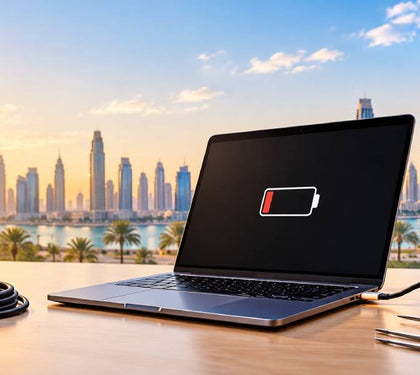
Laptops have a specific weak spot: the battery. Using a laptop in hot conditions for long periods speeds up battery wear, and dusty fans trap heat, which speeds up the gas build-up that makes batteries swell. A laptop left plugged in on a warm desk all year faces exactly that.
A mini-PC has no battery to swell. That’s one fewer part to fail.
But a small-form-factor PC UAE offices use still has small fans and vents, and they clog. A few simple habits help:
● Mount it behind the monitor, not on the floor or in a closed drawer.
● Keep vents clear of papers and walls.
● Blow out the dust every few months, especially after a dusty spell.
● Look for models with dust-resistant cooling. Some ASUS mini-PCs, for example, use a self-cleaning anti-dust fan system.
Whatever desktop computer Dubai offices buy, plan for maintenance. If a unit starts running hot or loud, Laptop Mart’s repair service covers desktops as well as laptops.
Recommended setups by role and budget
Match the machine to the job, not the job title.
● Reception, front desk, retail POS: an entry-level business mini-PC with 8 to 16GB RAM and a 256 GB SSD, mounted behind one monitor.
● Admin, finance, HR: a compact PC for business with a current Intel Core Ultra 5 or AMD Ryzen 5 class chip, 16GB RAM, 512GB SSD and two monitors for spreadsheets and ERP.
● Hybrid managers and sales: a business laptop plus a monitor and dock at the desk.
● Designers, video editors, and heavy data work: a tower or custom build. For video editing, 3D modelling or complex data analysis, a desktop’s better cooling and full-size parts deliver performance a mini-PC can’t match.
● Home office: a mini-PC for home office use if you work from one place. A laptop if you also travel.
For fixed seats, office desktop Dubai businesses standardise on also makes IT support simpler, because every desk is the same.
How Laptop Mart configures mini-PCs and desktops
Laptop Mart works from its store in Al Khaleej Centre, Bur Dubai, near Sharaf DG Metro Station, and supplies business machines from Dell, HP and Lenovo. Start with its full desktop computer Dubai range.
For teams, the bulk IT hardware orders service matters most. Orders can arrive with software pre-installed and hardware configured to your specification, which saves your IT person days of setup. Tell the team your seat count and roles, and they can advise whether a mini-PC Dubai deployment, a slim tower or laptops make the most sense.
If you’d rather choose every part, the Build Your Own PC service lets you pick the processor, memory, storage and case. Rather than an automated checker, their team reviews your chosen parts and recommends the best configuration for your needs and budget. Read what a custom PC actually costs in Dubai before you decide.
After purchase, Laptop Mart offers IT support and networking and repairs, with free diagnostics and free pickup and delivery. Replacing old laptops? The trade-in and buyback programme can offset the cost. And since every new device is a security entry point, it’s worth reading the guide to device security for small businesses in Dubai.
For larger rollouts, see Corporate Solutions.