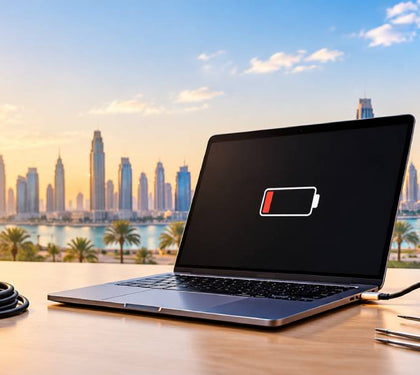


Your laptop says it is plugged in. The battery percentage is not moving. Or worse, it is dropping.
Before you assume the worst, know this: most charging faults are fixable, and many are cheap to fix. This guide explains where the fault usually sits, what you can safely check at home, and when laptop charging port repair Dubai is the right call.
Plugged in but not charging: the three places the fault usually is
A laptop plugged in not charging almost always comes down to one of three things:
The power source: the adapter, the cable, or the wall socket.
The charging port: the socket on the laptop itself.
The battery or its software: a worn battery, a charge limit setting, or outdated firmware.
Power has to pass through all three in that order. If anyone fails, charging stops.
Most laptop not charging Dubai cases start with the cheapest part: the adapter or cable. So always rule that out first.
| Fault area | Typical signs | Usual fix | Indicative cost in Dubai |
|---|---|---|---|
| Adapter or cable | No charging light, “slow charger” warning, works with another charger | Replace adapter or cable | Lowest cost, depends on wattage and brand |
| Charging port | Cable feels loose, charges only at an angle, light flickers | Clean, re-solder or replace the port | Advertised from around AED 99, more for soldered USB-C ports |
| Battery | Drains fast, shuts down suddenly, stuck at one percentage | Replace battery | Roughly AED 150 to 600 |
| Motherboard charging circuit | New charger and battery make no difference | Component-level board repair | Higher than other repairs, quoted after diagnosis |
Adapter and cable faults, including cheap USB-C chargers
USB-C made charging look simply. One plug fits everything. But fitting is not the same as working.
USB-C is only the name of the connector, and a USB-C port is not required to support Power Delivery, the standard that lets a charger send laptop-level power.
Whether a charger works depends on its wattage, the cable, whether the laptop supports Power Delivery, and whether that specific port accepts charging at all.
This is why a USB-C laptop not charging is so often a charger problem, not a laptop problem.
Common culprits:
● Low wattage: An old charging block marked 5V 1A delivers only five watts. Many laptops need 45W, 65W or more.
● The wrong cable: Some USB-C cables are wired only for basic USB 2.0 and cannot carry Power Delivery.
● Hubs and docks: Laptops can stop charging entirely through certain USB-C hubs or weaker chargers.
● Unbranded chargers: Poorly built ones may not negotiate power properly, and they fail faster in heat.
The rule is simple. Check the wattage printed on the original charger and buy a replacement that delivers at least that much.
If you need a laptop adapter replacement UAE buyers can rely on, look for a known brand with the right wattage. Laptop Mart stocks power adapters, chargers and USB cables for the major laptop brands.
Charging port damage: loose, bent or corroded ports
If a known-good charger still does not work, look at the port.
Ports take daily abuse. Cables get yanked. Laptops get moved while plugged in. In Dubai, there is another factor: fine desert sand gets into laptops through USB ports and vents.
Humidity adds to it. Moving a laptop from outdoor heat into cold air conditioning can cause condensation inside the device, which corrodes components over time.
Signs of a failing port:
● You have to wiggle the plug to get a charge
● The charging light flickers on and off
● The port feels loose when you plug in
● You can see bent pins, dark marks or green residue inside
How hard the fix depends on the design. On many laptops, the DC jack sits on a separate small board, which makes replacement simpler. On ultrabooks and MacBooks, the USB-C port is soldered straight onto the motherboard, which is harder but still repairable.
So yes, laptop charging port repair Dubai technicians can usually save the laptop. A USB-C laptop not charging because of a worn port rarely needs a new motherboard.
Do not keep forcing a loose plug. That is how a small port repair turns into board damage.
Battery and firmware issues that block charging
Sometimes nothing is broken. The laptop is protecting its battery.
On Windows: a “plugged in, not charging” message can be a deliberate battery-health limit, not a failed charger or battery. ASUS Balanced Mode, for example, stops charging above 80% and resumes below 78%. Dell, HP and Lenovo have similar tools.
So, a laptop plugged in not charging at 80% may be working exactly as designed. Check the manufacturer’s battery app before you panic.
On Mac: when Optimized Battery Charging delays charging past 80%, the battery menu shows “Charging on Hold”. That is normal. However, a Mac may also show “Not Charging” when the power source is too weak, or the cable or adapter is wrong.
Many MacBooks not charging Dubai queries turn out to be one of these two things.
Real battery faults look different. The laptop dies the moment you unplug it. The percentage jumps around. The base or trackpad bulges.
Heat speeds this up. Dubai summers regularly pass 45°C, while most laptops are built to run between 10°C and 35°C. Laptop Mart’s guide on preventing laptop heat damage covers this in detail.
If you notice swelling or overheating while charging, stop using the laptop straight away. A swollen battery is a safety issue, not a wait-and-see issue.
Quick checks you can do safely at home
Try these before booking a repair. They cost nothing and solve a lot of laptops not charging Dubai cases.
● Try a different wall socket. Skip the extension lead.
● Use the original charger and cable. This is Microsoft’s first suggested fix for both slow-charging and not-charging warnings.
● Plug in directly. Remove any hub, dock or monitor from the chain.
● Try another USB-C port. Not every port on a laptop accepts charging.
● Inspect the cable and plug. Look for kinks, fraying or scorch marks.
● Look into the port with a torch. Check for lint, sand or bent pins. Do not poke metal objects inside.
● Check for charge limits. Open your battery settings or the manufacturer’s app.
● Restart and update. Install pending BIOS, firmware and system updates.
● Check battery health. On Windows, run powers /battery report. On Mac, open System Settings, then Battery.
Stop there. Do not open the charger, the laptop or the battery yourself.
If your USB-C laptop not charging problem survives all of these, it needs a technician.
Repair vs replace: typical costs in Dubai
Prices vary by brand, model and how deep the fault goes. These are market ranges from Dubai repair providers in 2026, not fixed quotes.
● Charging port: one Dubai provider advertises charging port repair from AED 99. Soldered USB-C ports cost more because of the labour involved.
● Battery: brand-specific starting prices sit around AED 249 to 279 for Lenovo, Acer and ASUS, and from AED 399 for Microsoft Surface.
● MacBook battery: about AED 300 to 700 for a MacBook Air and AED 500 to 800 or more for M-series MacBook Pro models.
● Motherboard charging circuit: board-level repairs sit higher than other repair types.
A laptop adapter replacement UAE shoppers buy off the shelf is usually the cheapest fix of all.
So, when is repair worth it? A simple test:
● Repair if the laptop is under five years old, runs well otherwise, and the quote is well under half its current value.
● Replace if it needs board-level work, has other faults, and can no longer run a supported operating system.
For most people, laptop charging port repair Dubai pricing is a fraction of a new machine. If replacing makes more sense, you can trade in your old laptop or look at pre-loved laptops.
One more check: if the laptop is still under warranty, read our UAE laptop warranty guide first.
How Laptop Mart diagnoses charging faults (free diagnosis)
Guessing gets expensive. Diagnosis comes first.
Laptop Mart begins with a free diagnostic assessment, then gives a detailed quote covering parts and labour before any work starts. You decide once you know the real fault and the real cost.
For a laptop charging port repair Dubai job, the checks follow the power path: adapter output first, then the port, then the battery, then the board’s charging circuit. The cheapest causes are ruled out before the expensive ones.
What to expect:
● Most repairs are completed within one to three business days
● Pickup and delivery are free
● Walk-ins are welcome at Shop 111, Al Khaleej Center M-Floor, Bur Dubai
● Technicians work across Dell, ASUS, Lenovo and HP
Apple owners are covered too. For a MacBook not charging Dubai case, Laptop Mart handles MacBook repairs, including component-level board work. Our MacBook repair guide explains what can be fixed locally and what is better left to Apple.
Still stuck with a laptop not charging Dubai problem? Book a free diagnosis.