

Your child's school has sent a device list, and it reads like a spec sheet written for an IT department. If you are about to buy a school laptop in Dubai, the right choice depends less on brand and more on what the school's software, exams and Wi-Fi allow.
This guide breaks down each BYOD school device UAE parents are asked to consider and what is worth paying for.
Why so many UAE schools now run BYOD programmes
Dubai's private education sector has 233 schools, and they teach 17 different curricula. Each one uses different platforms, so a single BYOD school device UAE standard does not exist.
Most schools have moved to blended learning. At one GEMS school, every student from Year 3 to Year 13 must bring a laptop or tablet each day. At Dubai American Academy, a laptop is required daily from Grade 6 to Grade 12, while elementary pupils are loaned an iPad by the school.
There is one recent change to know about. From 14 September 2026, Grade 6 students in UAE public schools can no longer bring laptops to class. Laptops are now kept for specific home-based tasks.
That rule covers public schools. Private schools set their own policies, which is why checking the current school laptop requirements Dubai schools publish matters before you spend anything.
How to read your school's device requirements list
Most school laptop requirements Dubai parents receive cover the same five things. Check each one before you buy a school laptop in Dubai.
● Device type by year group: Many schools recommend tablets such as an iPad or Android device for younger pupils and laptops for older ones.
● Operating system and version: Lists usually name a minimum Windows, macOS or iPadOS version.
● Minimum specs: One Dubai school's published policy asks for at least 64GB of storage, 4GB of RAM with 8GB preferred, and four hours or more of battery.
● Device age: Some schools ask that the laptop is no more than three years old.
● Network and monitoring rules: Expect conditions such as one device per student on the school Wi-Fi and no VPN apps while at school.
Treat published minimums as a floor. A laptop for grade 6 to 12 bought at the 4 GB minimum will feel slow within a year or two.
If the list is unclear, email the school's IT team and ask one question: "Which apps will my child need to install this year?" The answer usually settles the device choice.
Chromebook vs Windows vs iPad: pros and cons for each age group
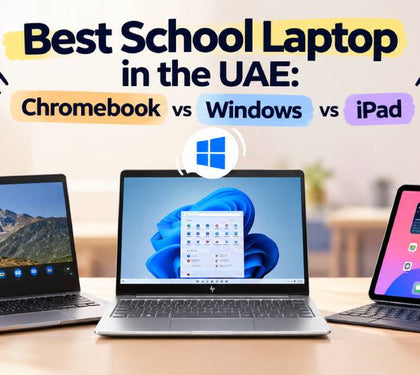
The Chromebook vs Windows laptop school debate has no single winner. It changes with your child's age and curriculum.
| Factors | Chromebook | Windows laptop | iPad |
|---|---|---|---|
| Best age group | Upper primary to Grade 8 | Grade 6 to 12 | KG to Grade 5 |
| Strengths | Low cost, fast start-up, simple to manage | Runs full desktop software, widest school compatibility | Light, touch and pencil input, long battery |
| Watch-outs | Limited offline and desktop apps, fixed update expiry date | Heavier, more maintenance | Keyboard costs extra, weak for coding and long essays |
| Exam apps | Often restricted on personal devices | Widely supported | Supported for some exams |
| Parental controls | Google Family Link | Microsoft Family Safety | Apple Screen Time |
● Primary years (KG to Grade 5): An iPad for school Dubai primary classes use is usually the simplest fit. It is light, intuitive and works well for reading, drawing and phonics apps.
● Middle years (Grade 6 to 8): Typing takes over. A Chromebook works if the school runs on Google Workspace. If the school uses Microsoft 365 or installed software, pick Windows.
● Senior years (Grade 9 to 12): This is where the best laptop for school students UAE families can choose is almost always a Windows laptop or MacBook. Coding tools, design software and exam apps need a full operating system.
One example: the College Board's Bluebook app, used for the digital SAT and AP exams, runs on Mac, Windows, iPads and school-managed Chromebooks. A personal Chromebook bought for BYOD does not qualify. It also needs Windows 11 24H2, macOS 15 or iPadOS 18 as a minimum.
If your teenager is close to graduating, our guide to the best laptops for university students in Dubai can help you buy once instead of twice.
Specs that matter for school (battery, weight, durability, keyboard)
The best laptop for school students UAE classrooms see is rarely the most powerful one. It is the one that survives a school bag and lasts until the final bell.
● Battery: Look for 8 hours or more of real use. Charging points in classrooms are limited.
● Weight: Keep it under 1.5 kg with a 13- or 14-inch screen.
● Durability: Business-class models such as Dell Latitude, HP EliteBook and Lenovo ThinkPad are built for daily knocks and have spill-resistant keyboards.
● Keyboard: A full-size, comfortable keyboard matters more than a touchscreen for a laptop for grade 6 to 12.
● Memory and storage: 8GB RAM and a 256GB SSD is a sensible baseline. Choose 16GB for coding, media or design subjects.
● Wi-Fi: Dual-band Wi-Fi (2.4GHz and 5GHz) is essential for school networks.
Avoid gaming laptops for school. They are heavy, the battery drains fast, and they invite distraction.
Parental controls, safety and screen-time settings
Every BYOD school device UAE students carry now sits under a clear legal framework. Federal Decree-Law No. 26 of 2025 on Child Digital Safety came into force on 1 January 2026.
It requires parents and guardians to monitor their children's digital activity and use parental control tools. A one-year transition period means full enforcement begins in January 2027.
Set these up before the first school day:
● Windows: Create a child account and link it to Microsoft Family Safety for screen-time limits and web filters.
● Chromebook: Use Google Family Link to approve apps and set bedtimes.
● iPad: Any iPad for school Dubai pupils use should have Screen Time switched on, with app limits and content restrictions.
Give your child a standard account, not an administrator one. Check with the school first, though, because some schools run their own mobile device monitoring and strict home controls can block school apps.
New vs refurbished for school use: budget and warranty
You do not need a brand-new device to buy a school laptop in Dubai that lasts. School laptops get dropped, scratched and outgrown.
Refurbished devices make sense when your child is in the middle years, the budget is tight, or you have more than one child to equip. At Laptop Mart, certified pre-loved laptops currently start at AED 750 for a Dell Latitude 5400, and every pre-loved unit is tested, certified and sold with a warranty.
New makes sense when your child is entering Grade 9 or above and needs the device to last through graduation. Brand-new laptops such as the Lenovo V15 G5 are listed at around AED 2,100.
Three checks before buying any refurbished device:
It must run Windows 11. Windows 10 support ended in October 2025.
Ask about battery health. A worn battery defeats the purpose of a school laptop.
Read the warranty terms. Our laptop warranty guide compares store and manufacturer cover.
The best laptop for school students UAE parents can buy on a budget is often a three-year-old business laptop, not a new entry-level one. If you want extra cover for drops and spills, see whether laptop insurance in the UAE is worth it.
How Laptop Mart helps parents match devices to school lists
Bring your school's list to our Bur Dubai store or send it on WhatsApp. Our team checks it line by line against stock, so you buy a school laptop in Dubai that meets the requirements the first time.
Here is what we offer families:
● Matched recommendations across new and pre-loved Dell, HP, Lenovo and Apple devices, based on your school laptop requirements Dubai list.
● Flexible payment through Tabby, so the cost is spread across the term.
● Trade-in value for your child's outgrown device through our trade-in and buyback programme.
● Fast repairs when accidents happen. Our laptop repair service includes free diagnostics and free pickup and delivery.