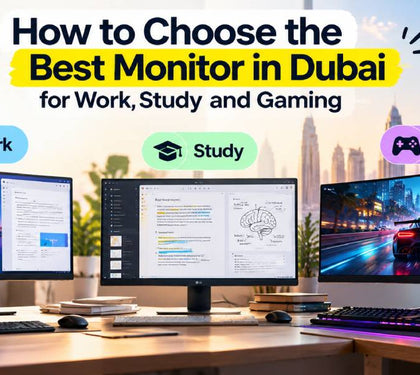


Most people spend weeks comparing laptops and ten minutes choosing the screen they will stare at for eight hours a day.
If you are about to buy a monitor in Dubai, this monitor buying guide for the UAE covers the four decisions that matter: size, resolution, refresh rate and connections.
Why The Monitor Is The Most Under-Researched Part Of A Desk Setup
A laptop gets replaced every three to five years. A good monitor often outlasts two of them.
Yet most shoppers looking for the best monitor in Dubai pick on price and size alone. That is how people end up with a blurry 27-inch Full HD panel, or a 4K screen their laptop cannot run properly.
The monitor also decides how comfortable you are. Text clarity, glare and screen height affect your eyes and neck far more than processor speed does.
So before you buy a monitor in Dubai, start with how you sit and what you do, then work back to specs.
Screen Size And Viewing Distance: 24 vs 27 vs 32 Inches
Size should follow your desk depth. OSHA's workstation guidance puts the preferred viewing distance at 50 to 100 cm, with the top of the screen at or below eye level.
As a rule of thumb:
● 24 inches: comfortable at 50 to 70 cm. Ideal for compact desks and as an office monitor for a laptop.
● 27 inches: comfortable at 60 to 80 cm. The sweet spot for most home offices.
● 32 inches: needs 80 cm or more. Sit closer, and you will be turning your head to read the corners.
On the 27 inch vs 32 inch monitor question, measure your desk first. A standard 60 cm deep desk suits 27 inches. A 32-inch screen needs a deeper desk or a monitor arm.
If you are planning a dual monitor setup in Dubai apartments or shared offices, two 24-inch screens fit on a 120 cm desk. Two 27-inch screens need about 140 cm.
Resolution Explained: Full HD, QHD and 4K, And What You Actually Notice
Resolution only makes sense alongside size. What your eyes notice is pixel density, measured in pixels per inch (PPI). Around 90 PPI looks fine. Around 110 PPI looks sharp. Below 85, text starts to look soft.
| Size | Resolution | Pixel density | Best for |
|---|---|---|---|
| 24 inch | Full HD (1920 x 1080) | ~92 PPI | Office work, study, budget gaming |
| 27 inch | Full HD (1920 x 1080) | ~82 PPI | Casual use, gaming from a distance. Text looks soft |
| 27 inch | QHD (2560 x 1440) | ~109 PPI | The best all-round choice for work and gaming |
| 27 inch | 4K (3840 x 2160) | ~163 PPI | Design, photo editing, Mac users |
| 32 inch | QHD (2560 x 1440) | ~92 PPI | Immersive gaming, spreadsheets |
| 32 inch | 4K (3840 x 2160) | ~138 PPI | Video editing, multitasking, premium setups |
A 4K monitor in Dubai costs more and asks more of your hardware. It has four times the pixels of Full HD, so your graphics card works much harder in games.
That is why most gamers still skip it. Valve's June 2026 Steam survey shows Full HD is still the main gaming resolution at just over 51%, with QHD steadily gaining users. 4K sat below 5% in the January 2026 survey.
For most buyers, the best monitor in Dubai for the money is a 27-inch QHD panel.
Refresh Rate And Response Time: When 144 Hz+ Matters And When It Doesn't
Refresh rate is how many times the screen redraws each second. A 60Hz screen shows a new frame every 16.7 milliseconds. A 144Hz screen does it every 6.9 milliseconds.
For email, documents and video calls, you will not gain much beyond 100Hz. Scrolling just feels a little smoother. So do not overpay for speed on an office monitor for a laptop.
For gaming, it is a different story. In fast shooters and racing games, a gaming monitor with 144Hz in the UAE market is now the sensible starting point, and many budget models already run at 180Hz.
Two checks before you pay:
● Can your machine keep up? A 144Hz screen is wasted if your laptop only produces 60 frames per second. Our guide to gaming desktops vs gaming laptops in Dubai explains what each can deliver for the budget.
● Ignore "1ms" marketing. Response time claims are measured in ideal conditions. Look for adaptive sync (FreeSync or G-Sync compatible) instead, which stops screen tearing.
Panel Types (IPS, VA, OLED) And Colour Accuracy For Design Work
The panel type decides how colours and blacks look. This matters whether you want a 4K monitor in Dubai for editing or simply the best monitor in Dubai for mixed use.
IPS gives accurate colours and wide viewing angles. It is the safe pick for office work, study and design. Blacks look slightly grey in a dark room.
VA has roughly three times the contrast of IPS, so blacks look deeper. It is common on curved gaming monitors. Colours shift a little when viewed from the side.
OLED lights each pixel on its own, so blacks are truly black, and motion is very clean. It costs the most, and static items like taskbars can cause burn-in over years of office use.
For design work, check three numbers on the spec sheet: close to 100% sRGB coverage, a Delta E below 2, and factory calibration. Video editors should also look for high DCI-P3 coverage.
One Dubai-specific tip: bright rooms with large windows cause glare. Choose a matte screen with at least 300 nits of brightness.
Connecting To A Laptop: USB-C, HDMI, DisplayPort And Docking
This is where most returns happen. Check your laptop's ports before you buy a monitor in Dubai, not after.
● USB-C: One cable can carry video, data and charging. But the laptop's port must support DisplayPort Alt Mode or Thunderbolt. Look for the small DP or lightning symbol next to the port.
● HDMI: HDMI 2.0 handles 4K at 60Hz. You need HDMI 2.1 for 4K at 120Hz or above.
● DisplayPort: The best choice for high refresh rates on gaming PCs.
● Docking: For a dual monitor setup in Dubai offices, a dock or a monitor with a built-in USB hub keeps the desk to one cable. Note that some older entry-level MacBook Air models support only one external display without extra software.
Developers who code across two screens can match these ports against our picks for the best laptops for programmers in the UAE. Cables, docks and adapters are in our accessories collection.
Recommended Setups By Use Case And Budget At Laptop Mart
Here is how the choices map to real budgets when you buy a monitor in Dubai from our monitor collection. Prices are indicative, and stock changes often, so message us to confirm availability.
● Study and basic home office (AED 320 to 460): A 24-inch Full HD IPS screen such as the LG 24MR400-B or Lenovo L24i-4A. Pairs well with the models in our student laptop guide.
● Full-time office work (AED 550 to 700): A 24-inch business screen like the Dell 24 P2425H with a height-adjustable stand, or the 27-inch Lenovo L27i-4A if you sit further back.
● Dual-screen productivity (AED 900 to 1,400 for two): Two matching 24-inch screens. Companies fitting out several desks can use our bulk IT hardware orders for better pricing.
● Entry-level gaming (AED 440 to 550): LG UltraGear 24-inch or 27-inch Full HD models, a strong match for mid-range gaming laptops and PCs.
● Serious gaming (around AED 830): The LG UltraGear 27GS60QC-B, a curved 27-inch QHD screen at 180Hz. If you are building a rig around it, see our Build Your Own PC service.
● Design and video editing: A 27 or 32-inch 4K IPS screen. Ask our team about current 4K options.
You can split the cost with Tabby, and every monitor carries a manufacturer's warranty. You can also see screens in person at our Bur Dubai store in Al Khaleej Centre, near Sharaf DG Metro Station.