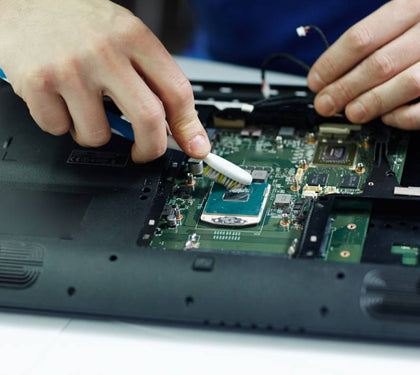


MacBook owners tend to assume repair means one of two extremes: an Apple Store appointment or giving up on the device entirely. Neither is quite right — most common MacBook problems have a legitimate third-party repair path, but knowing which issues fall into that category matters before you commit to one route or the other.
Common MacBook issues (screen, battery, keyboard, logic board, liquid damage)
• Screen damage — cracked displays, backlight failure, or flickering panels
• Battery degradation — reduced runtime, swelling, or sudden shutdowns
• Keyboard issues — sticking keys, especially on older butterfly-mechanism models, or full keyboard replacement after liquid exposure
• Logic board faults — no-power issues, charging faults, or component-level failures
• Liquid damage — ranging from minor keyboard exposure to full internal corrosion requiring board-level cleaning and repair
What third-party repair shops can and can’t legally/practically do
Independent repair shops can legally service MacBooks — there’s no legal restriction preventing third-party repair. What varies is technical capability. Screen, battery, and keyboard replacements are well within standard third-party repair capability using quality parts. Logic board-level repair (component-level soldering, chip-level diagnostics) requires specialized equipment and expertise that not every shop has — this is where checking a provider’s actual track record on board-level work matters more than for simpler part swaps.
AppleCare considerations and warranty impact of third-party repair
If a MacBook is still under standard Apple warranty or AppleCare+, using a third-party repair service can affect that warranty coverage for the specific repair performed — this is worth weighing against the cost and turnaround difference before deciding. For MacBooks outside of warranty, this consideration doesn’t apply, and the decision comes down to cost, turnaround time, and the repair provider’s track record.
Cost comparison: authorized vs independent repair
|
Repair type |
Authorized Apple service |
Independent repair |
|
Screen replacement |
Higher cost, genuine Apple parts, warranty-safe |
Lower cost, quality aftermarket or OEM-equivalent parts |
|
Battery replacement |
Higher cost, standard turnaround |
Lower cost, often faster turnaround |
|
Keyboard replacement |
Full top-case replacement, higher cost |
Often more targeted, lower-cost repair |
|
Liquid damage |
May be assessed as beyond economical repair |
Often attempted at component level, sometimes viable where Apple would recommend replacement |
Independent repair generally wins on cost and often on turnaround; authorized service wins where warranty preservation is the priority.
What to check before choosing a repair provider
• Ask specifically whether they do component-level (logic board) repair or only part-swaps
• Ask what warranty they offer on the repair itself, not just the part
• Confirm whether they use genuine, OEM-equivalent, or generic aftermarket parts, particularly for screens and batteries
• For liquid damage, ask about their board-level cleaning and diagnostic process specifically — this is where repair quality varies most between providers
Does Laptop Mart repair liquid-damaged MacBooks
Laptop Mart handles the full range of MacBook repairs, including component-level board work for liquid damage cases that many providers would otherwise write off. See our IT support page for business fleet MacBook servicing, or our corporate solutions page if you’re managing repairs across multiple company devices. If data loss is part of the concern, see our laptop data recovery guide.
Related Reading
|
Article |
Link |
|
Setting Up a Home Office in Dubai in 2026 |
|
|
Laptop Battery Replacement in Dubai |
|
|
Laptop Data Recovery in Dubai |
|
|
Windows 10 End of Support |