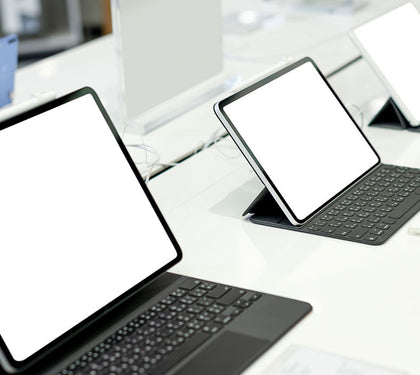


In the modern UAE workplace, professionals tend to expect more from their laptops than before. Whether you’re handling spreadsheets in Downtown Dubai, or joining client meetings across Abu Dhabi, or even working remotely between business trips, your laptop basically becomes the centre of your everyday output.
When you look at premium, business minded devices, two names keep showing up on almost every shortlist: ASUS ZenBook and Lenovo ThinkPad. Both deliver strong performance, look pretty sleek, and bring enterprise level capabilities. Still, they think about “pro” computing in very different ways. One leans toward portability and style, while the other often goes more for durability and day to day practicality.
Two Different Approaches to the Professional Laptop
ASUS has built the ZenBook line around portability, modern looks, and that premium consumer vibe. Models like the ZenBook 14 target professionals who want something stylish that just kind of shifts smoothly between office tasks, travel days and everyday personal use.
ThinkPad, on the other hand, stays strongly tied to business computing. Its design approach stresses reliability, ergonomic comfort, security, and day to day productivity more than pure appearance. The famous black chassis has basically stayed the same, year after year, because enterprise buyers tend to prefer consistency that actually works and real functionality.
For a lot of shoppers, it really boils down to priorities. If visual appeal and ultra-portability are what you care about most, then the ASUS ZenBook business laptop in UAE market has interesting choices. But if long-term productivity and enterprise-grade features matter first, ThinkPad is still the benchmark.
Build Quality and Durability Testing Comparison
Every work day the daily commute to the office, the countless air miles to meetings across the Middle East, the endless time spent working in various coffee shops around Dubai and Abu Dhabi, and our individual in-home office spaces, take their toll on our computers. ASUS really stepped up its game when it came to the build quality of most of its ZenBook ranges, in recent years. The aluminium chassis construction on the units, lend it a rigid feel without adding a lot of weight, whilst the high-end finish of the laptops does elevate them above many competitors in the ultra-notebook category.
To take matters further with durability is Lenovo's range of ultra-portable laptops known as the ThinkPad which many are military spec tested against dust and water.
Many models are also tested for vibration, shock, and sudden impact, and premium builds often feature carbon fibre and magnesium alloys which result in superb resilience. However, if you plan on travelling throughout the region or the world for business, then some people would sacrifice looks to get a machine built for longevity. The sheer number of rugged, well-made and longer lasting units of The Lenovo range have a better overall pedigree to them than the Asus although today they would stand up.
Keyboard Quality - Why ThinkPad Consistently Leads This Category
Given professionals spend hours each day drafting documents, answering mail, or developing slide decks, keyboard quality is key, and ThinkPad remains ahead of the curve. Lenovo has spent decades honing its keyboard, and the deep key travel, feedback, spacing, and dependable keypress deliver what many professional users argue remains unsurpassed by any other laptop’s keyboard.
These attributes make it a go-to choice for writers, consultants, lawyers, accounting, developers, and other high-typing fields. Keyboards offer comfortable, shallow typing that provides consistent and springy key presses in modern layout with reasonable key spacing, but a much shallow amount of travel as well as light feedback generally put them a hair behind their ThinkPad counterparts during longer periods of intensive typing.
For users whose workday revolves around heavy keyboard use, the Lenovo ThinkPad comparison becomes relatively straightforward. Few competitors match its typing comfort.
Display Options and Colour Accuracy Comparison
As we have the expectation of more time working on presentations, dashboards, creative, video conferencing, the display quality seems increasingly important. ZenBook’s generally performs well when it comes to screen. In most cases, many ZenBook’s are configured with the excellent OLED display, where you’re greeted by the superb contrast ratio, fantastic color range, great blacks, and brightness.
Such a display is more enjoyable viewing the work you produce, be you marketers, designers, creators or top Executives.
ThinkPad screens on the other hand have a tendency to deliver on a solid and consistently useful experience and it is always at the higher end such as a few of the X1 carbons, which get very nice brightness and color. But other panels have a tendency to concentrate more on practical and reliable business functionality. Asus sometimes brings the value of a good display at the comparable price range in creative use. But for business people and spreadsheet or document users, it is pretty good display performance on each platform.
Battery Life in Real-World Business Use
One of the most influential parts of your laptop to your overall productivity, for those who spend the most part of their day far away from wall sockets is battery. Recent ZenBooks models provide for good runtime as efficiency can be gained with newer models. A 9-11 hours range is expected on general work tasks, such as attending meetings, editing documents and online searches.
If you're doing basic work, you can also work through an entire business day without the need to plug in, depending on how demanding of a workstation you have at work; however, light office work would be easily sustainable.
Similar results can be expected from many ThinkPad devices, especially the higher end ones aimed at those who need their work devices on the go, as Lenovo has dedicated significant power to their mobile computers. Realistically, though, there’s not much between brand names when it comes to battery in real business use. Screen settings, workloads, and use of internet (wi-fi) could greatly vary in outcome. Though, nowadays premium models form Asus and Lenovo should generally last a full day of professional use.
Performance at Comparable UAE Price Points
Focus on price brackets rather than brands. Many UAE retail stores sell a ZenBook package with more performance for a more equitable price and it’s not unusual to find devices at identical price points with newer CPUs, larger SSDs, greater memory, or sharper screens. ThinkPads carry a price premium, rooted in their enterprise-level features; businesses pay for added security and robust testing for long-term usage and improved support.
When considering a premium business laptop from a leading UAE online tech retailer or bricks-and-mortar outlet, compare the exact specifications before drawing any conclusions.
A professional in need of the best business laptop UAE offers and utilizing only Office productivity applications, website browsing and business software could also be very content with either an equivalent and similarly priced consumer-grade laptop in particular those using a higher-end model of an equivalent ZenBook.
Ports, Connectivity, and Thunderbolt Availability
Even with all these wireless accessories trending, connectivity still feels like a must.
On most ZenBook devices, you’ll usually find a fairly even mix of ports, while they still keep things slim and neat. In general, USB‑C, HDMI, USB‑A, and the usual audio connection show up, so you don’t end up leaning on adapters all the time.
Meanwhile, ThinkPad models keep showing up in enterprise settings where a bunch of peripherals stay in the picture. Their docking support, Thunderbolt type connectivity, business networking options, and the broader port lineup often really help people at work.
Thunderbolt support is worth a little extra focus, especially for professionals running multiple monitors, plugging in fast storage devices, or using those advanced docking stations.
Before you buy, it’s smart to confirm the exact port layout on the model you want, because the specifications can vary a lot between product families and even across generations.
Business Software Ecosystem Differences
ThinkPad's strongest advantage is usually that it fits smoothly into enterprise setups. A lot of organisations standardise on ThinkPad fleets because the deployment routines are already there, the security management tools are familiar, and IT support people kind of know the workflow, ok it helps.
Things like more advanced BIOS controls, enterprise-minded security options, remote management features, plus business focused warranties, really pull in larger organisations.
ASUS meanwhile has pushed its business line forward a lot, yet its ecosystem still feels more evenly shared between consumer and pro users.
For solo professionals, freelancers, consultants, and small business owners, those enterprise-specific differences might make barely any difference. Still, when you’re dealing with bigger organisations running hundreds of devices, it can swing procurement decisions in a very real way, like not subtle.
Price and Total Cost of Ownership in UAE
The purchase price is only one part of the overall ownership cost, like it’s just the tip of the iceberg. ZenBook models can feel like an exceptional deal too, because premium design, solid specifications, and pricing that stays competitive, often show up together. Lots of professionals looking for maximum hardware value, end up liking ASUS for exactly that.
Meanwhile, ThinkPad devices may bring a higher upfront fee, especially in the premium range like ThinkPad X1 Carbon. Still, the durability, the fact they’re easy to service, their reliability and that longer lifecycle, can smooth out the first investment. A lot of organizations keep ThinkPads running for several years, and they usually don’t run into big performance hiccups or reliability setbacks. This also tends to reduce how often they have to replace them.
So, the best ultrabook Dubai buyers should pick isn’t always the cheapest one. Real long-term value matters more for how the device behaves across its entire lifespan, rather than just what you pay at the beginning.
The Verdict - Who Should Choose Which?
Choose a ZenBook if you:
● Prioritise lightweight portability
● Want a modern premium design
● Value OLED display options
● Seek stronger specifications per dirham spent
● Need a versatile laptop for both work and personal use
Choose a ThinkPad if you:
● Spend hours typing daily
● Travel frequently for business
● Need maximum durability
● Work within enterprise IT environments
● Prioritise long-term reliability and support
For many professionals, the decision ultimately reflects work style rather than specifications. ZenBook emphasises mobility and modern design, while ThinkPad focuses on productivity and business durability.
Both remain among the strongest choices available for professionals seeking a thin light laptop for work in the UAE market.
Find the Right Business Laptop for Your Work Style
Choosing between ZenBook and ThinkPad is easier when you can compare specifications, displays, performance, and pricing side by side. At Laptop Mart UAE, our team helps professionals, entrepreneurs, and corporate buyers identify the laptop that best fits their workload, mobility requirements, and budget.
Browse our latest business laptop collection today or speak with our specialists for personalised recommendations on premium productivity devices available across the UAE.