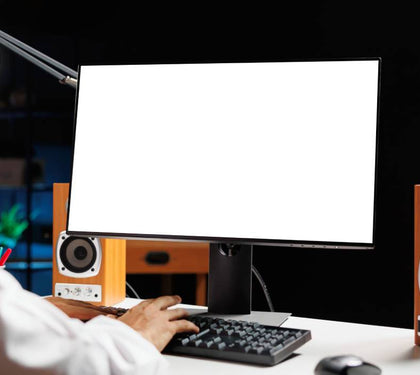


A good home office isn’t defined by having the most expensive laptop on the desk. It’s defined by whether the whole setup — screen, seating, connectivity, peripherals — lets you work a full day without fighting your equipment.
What actually matters for a productive home office (not just “buy a nice laptop”)
The laptop is one piece of a system. Screen size and positioning affect posture and eye strain over an 8-hour day far more than raw processor speed does for most remote work. A single laptop screen, however powerful the machine, is a productivity bottleneck compared to a laptop plus external monitor setup. Think in terms of the whole workstation, not a single purchase.
Laptop specs that matter for remote work vs gaming/creative use
|
Use case |
What matters most |
|
Remote work (email, docs, video calls, browser-based tools) |
16GB RAM, a mid-range modern CPU, good webcam and mic quality, solid battery life |
|
Creative work (design, video editing) |
Higher RAM (32GB+), dedicated GPU, color-accurate display, fast SSD storage |
|
Gaming-adjacent home office use |
Dedicated GPU, higher refresh rate display, strong cooling for sustained load |
Most remote knowledge workers overspend on processor power they don’t use and underspend on the display and peripherals that shape daily comfort.
Monitor, docking station, and ergonomic accessory recommendations
1. External monitor — a 24-27” display at 1440p resolution is a strong general-purpose choice for most remote work
2. Docking station — a single-cable dock simplifies daily setup/teardown for hybrid workers moving between office and home
3. Laptop stand — raises the screen to eye level, which meaningfully reduces neck strain over a full workday
4. External keyboard and mouse — pairs with a raised laptop stand to keep wrists in a neutral position
5. Webcam and headset — built-in laptop cameras and mics are usually the weakest link in daily video calls; a dedicated webcam and headset noticeably improve call quality
Budget tiers: essential setup vs premium setup
|
Tier |
What’s included |
|
Essential |
Laptop stand, external keyboard/mouse, single monitor, basic headset |
|
Mid-range |
Adds a dual-monitor setup or ultrawide display, a proper docking station, ergonomic chair upgrade |
|
Premium |
Color-accurate high-resolution displays, motorized standing desk, premium mechanical keyboard, dedicated conferencing webcam |
Where bulk/corporate remote-work equipment orders fit in
For companies equipping a distributed or hybrid team, ordering equipment individually per employee is slower and less consistent than a bulk order specified once and rolled out uniformly. This also simplifies IT support later, since a standardized fleet is easier to troubleshoot and maintain than a patchwork of different models and peripherals across the team.
Explore our corporate solutions page for team-wide equipment planning, our bulk IT hardware page for volume ordering, or our best gaming laptops guide if your home office use case leans toward higher-performance needs.
Related Reading
|
Article |
Link |
|
Laptop Battery Replacement in Dubai |
|
|
Laptop Data Recovery in Dubai |
|
|
MacBook Repair in Dubai |
|
|
Windows 10 End of Support |