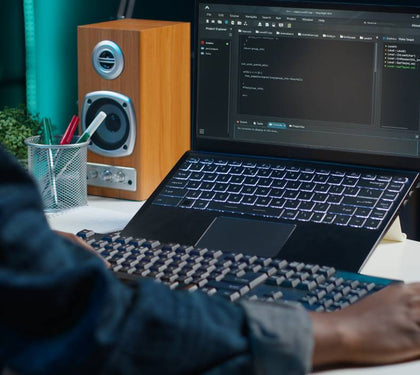


Choosing the best laptop for university students in Dubai isn’t really about finding “the best laptop” in the abstract - it’s about matching the right specs, budget, and durability to what a specific course actually demands, then not overpaying for capability that won’t get used. Here’s how to think through it properly before back-to-school shopping starts.
What Students Actually Need vs What’s Marketed to Them
Laptop marketing tends to push the newest, most powerful configuration regardless of what a student’s coursework actually requires. In reality, most humanities, business, and general arts students need reliable performance for web browsing, document editing, video calls, and moderate multitasking - a mid-range laptop handles this comfortably, and premium gaming-tier specs add cost without adding value for that use case. The students who genuinely need heavier specs are a smaller group: engineering, architecture, design, and computer science students running demanding software. Matching the machine to the actual coursework, not the marketing tier, is the single biggest lever on getting good value.
Budget, Mid-Range, and Premium Picks for Different Courses
• Budget tier - suited to general coursework: browsing, writing, spreadsheets, video calls. A well-specced pre-loved laptop often delivers excellent value here, since older-generation business laptops handle these tasks comfortably at a fraction of new pricing.
• Mid-range tier - suited to business, science, and social science students needing more multitasking headroom, occasional data analysis, or moderate creative software use.
• Premium tier - suited to engineering, architecture, design, and computer science students running CAD software, 3D rendering, IDEs with multiple virtual environments, or video editing - where processor, RAM, and dedicated graphics genuinely matter for coursework performance, not just convenience.
Battery Life and Portability for a Full Day on Campus
For students moving between lectures, the library, and group study sessions, battery life realistically matters more than raw processing power for most coursework. A laptop that needs charging mid-day disrupts the actual daily rhythm of university life more than a marginally slower processor ever will. Weight matters too - a lighter laptop carried daily across a campus is a genuinely different experience than a heavier gaming-oriented machine, even if the heavier one benchmarks faster on paper.
New vs Refurbished: Which Makes Sense for Students
This is often the highest-value decision a student (or parent) can make. A certified pre-loved laptop - properly tested, with a clear condition grade and warranty - frequently delivers business-grade reliability (ThinkPad, Latitude, EliteBook lines are common choices) at a significantly lower price than an equivalent new consumer laptop, freeing up budget for other university costs. For most coursework outside the demanding-software category, a well-chosen refurbished machine is not a compromise; it’s simply the more efficient choice.
Software and Specs Needed for Common Majors
• Engineering and architecture - CAD and modeling software need a dedicated graphics card and higher RAM (16GB+), ruling out budget-tier machines for this group specifically.
• Computer science and software development - benefits from higher RAM for running multiple development environments or virtual machines simultaneously, and a capable processor for compiling and testing.
• Design (graphic, UX, video) - color-accurate displays and dedicated graphics matter more than raw processing speed for most day-to-day design coursework.
• Business, humanities, general studies - mid-range specs comfortably cover the actual software demands (Office suite, browser-based tools, presentation software) most of these programs require.
How Laptop Mart Supports Student Buyers with Warranty and Support
Every laptop from Laptop Mart - new or pre-loved - comes with a warranty covering both parts and labor, so students aren’t taking on unnecessary risk to save money on a refurbished option. Browse our full range across Apple, Dell, Lenovo, and HP to compare options across budget tiers.
If your current laptop is being replaced rather than being your first, our trade-in and buyback program can offset the cost of an upgrade - see our guide on what your old laptop is actually worth before deciding whether to trade in or sell privately. And once you’ve got the right machine, understanding your warranty coverage upfront avoids surprises later in the semester.